
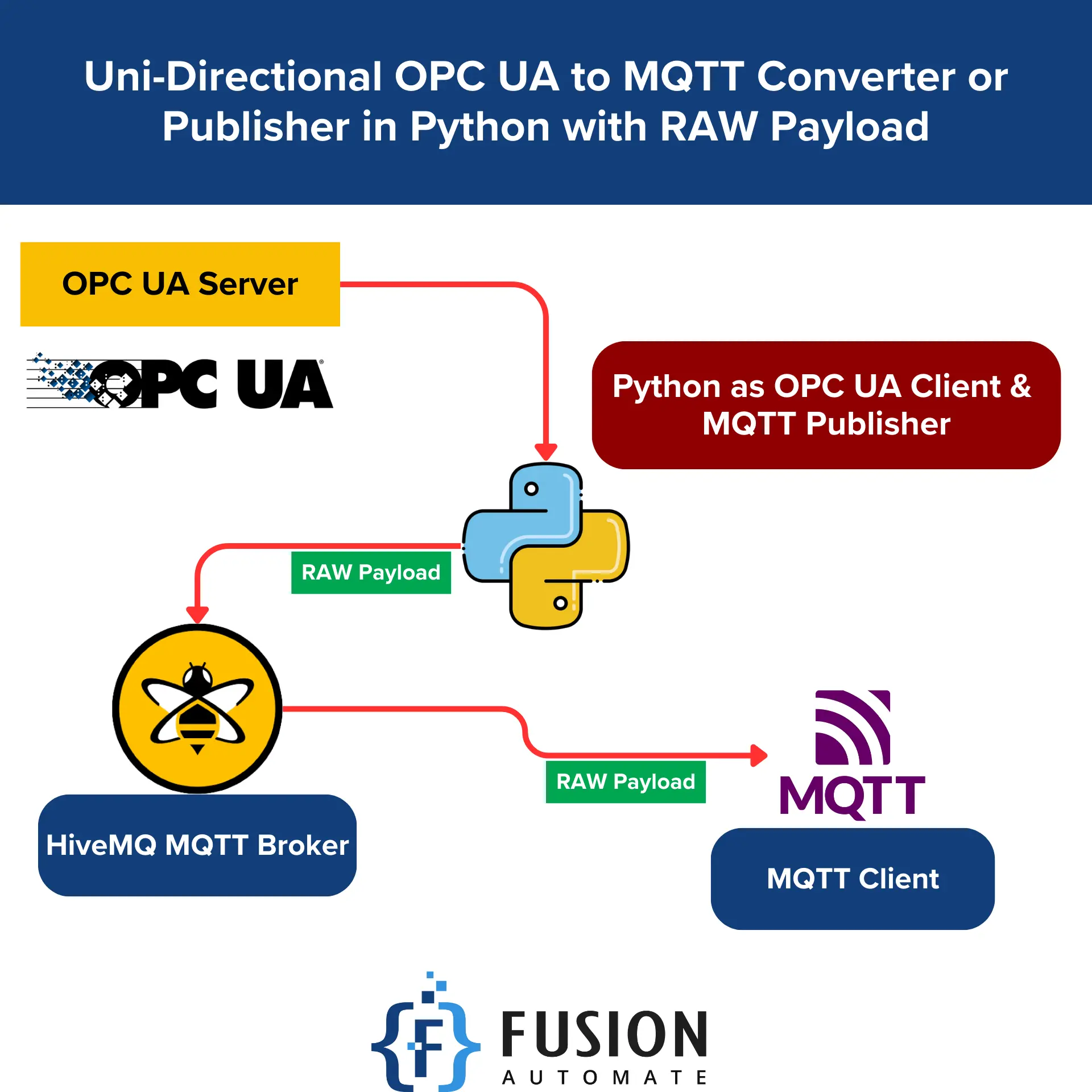
Uni-Directional OPC UA to MQTT Publisher in Python with RAW Payload
Last Code Revision Date: 03-Sep-2025
OPCUA to MQTT Bridge
This project bridges OPC UA servers and MQTT brokers, allowing you to read values from OPC UA nodes and publish them to MQTT topics. It is designed for industrial automation, IIoT, and SCADA integration.
Features
- Robust connection handling for both OPC UA and MQTT (auto-reconnect on drop)
- Publishes only changed values to reduce network traffic
- Configurable polling interval and node mapping via JSON
- Easy setup and cross-platform (tested on Windows)
- Clear console output for status and errors
- Graceful shutdown on keyboard interrupt
- Previous versions retained for reference
Requirements
You can install all required packages using the provided requirements.txt file:
pip install -r requirements.txt
| Package | Version | Notes |
|---|---|---|
| asyncua | 1.1.6 | Async OPC UA client |
| gmqtt | 0.7.0 | Async MQTT client |
| aiofiles | 24.1.0 | Async file I/O |
| aiosqlite | 0.21.0 | Async SQLite access |
| cryptography | 45.0.6 | >42.0.0 — TLS & security |
| pyopenssl | 25.1.0 | >23.2.0 — SSL/TLS support |
| python-dateutil | 2.9.0.post0 | Date/time utilities |
| pytz | 2025.2 | Timezone support |
| sortedcontainers | 2.4.0 | Fast sorted collections |
| typing-extensions | 4.15.0 | Typing enhancements |
| cffi | 1.17.1 | ≥1.14 — C interface for Python |
| pycparser | 2.22 | C parser for cffi |
| six | 1.17.0 | ≥1.5 — Python 2/3 compatibility |
| opcua | 0.98.13 | Synchronous OPC UA client |
| paho-mqtt | 2.1.0 | MQTT client (sync) |
| lxml | 6.0.1 | XML parsing (used by opcua) |
Configuration
Edit config.json to set your OPC UA server, MQTT broker, and node details:
{
  "opcua_server_url": "opc.tcp://localhost:4840",
  "mqtt": {
    "broker": "localhost",
    "port": 1883
  },
  "nodes": {
    "Node1": "ns=2;s=Demo.Static.Scalar.Int32",
    "Node2": "ns=2;s=Demo.Static.Scalar.String"
  },
  "interval": 2
}
opcua_server_url: OPC UA server endpointmqtt.broker: MQTT broker addressmqtt.port: MQTT broker portnodes: Dictionary of MQTT topic names to OPC UA node IDsinterval: Polling interval in seconds
Usage
- Install dependencies:
pip install -r requirements.txt - Edit
config.jsonas needed. - Run the main script:
python main.py
Expected Output
When you run the script, you should see console messages like:
Connected to MQTT broker: 127.0.0.1:1883
Connected to OPC UA server: opc.tcp://localhost:4840
Published initial value for Node1: 42
Published initial value for Node2: Hello
Published updated value for Node1: 43
Published updated value for Node2: World
MQTT disconnected (rc=1). Attempting to reconnect...
MQTT reconnected successfully.
OPC UA connection lost. Attempting to reconnect...
Connected to OPC UA server: opc.tcp://localhost:4840
On the MQTT broker, you will see topics updated with the latest values from the OPC UA nodes, for example:
- Topic
Node1receives payloads like42,43, etc. - Topic
Node2receives payloads likeHello,World, etc.
Error messages will be printed if connections drop or node reads fail, and the script will attempt to reconnect automatically.
Troubleshooting
- Ensure all required packages are installed (see above).
- Check that OPC UA server and MQTT broker are running and accessible.
- Review console output for errors and status.
- For Windows, run scripts from an elevated command prompt if needed.
₹ 1,999.00

Your Automation Partner. Streamline workflows, and drive productivity. Explore our innovative solutions.
Pages
- Home
- About
- Products
- Training
- Blogs
- Contact Us